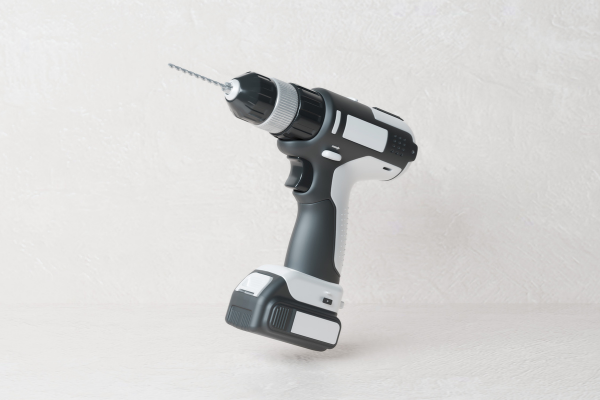
A cordless drill is one of the most useful tools in a home workshop, garage, or professional workspace. With proper care, a good drill can remain reliable for many years. However, regular use exposes the tool to dust, vibration, heat, moisture, impacts, and mechanical stress. Without basic maintenance, these factors can gradually reduce performance and shorten the useful life of the drill.
Extending the working life of a cordless drill does not require complicated repairs or expensive equipment. Most of the improvement comes from using the tool correctly, keeping it clean, protecting the battery, maintaining the chuck and ventilation system, and recognizing problems before they become serious.
Different drill models have different designs, battery systems, and maintenance requirements, so the manufacturer’s instructions should always take priority. Nevertheless, several general practices apply to most cordless drills and can help prevent premature wear.
Start With the Correct Use of the Tool
One of the easiest ways to extend the life of a cordless drill is to use it for the type of work it was designed to perform.
A compact drill intended for light household tasks should not be treated like a heavy-duty industrial machine. Likewise, a standard drill may not be the right tool for prolonged hammer drilling in hard masonry.
Using the correct tool reduces unnecessary stress on the motor, gearbox, chuck, battery, and internal electronics.
Before beginning a demanding project, consider the material, hole size, drilling depth, required torque, and duration of the task. If the application consistently pushes the drill to its limits, a more suitable tool may be a better choice.
Avoid Excessive Pressure
Applying too much pressure is a common way to increase wear on a cordless drill.
When drilling, the bit should remove material efficiently rather than relying entirely on force from the operator. Excessive pressure can increase motor load, heat generation, vibration, and mechanical stress.
If the drill slows dramatically when pressure is applied, stop and evaluate the situation. The bit may be dull, the speed may be incorrect, or the material may require a different accessory.
Controlled pressure is generally more effective than simply pushing harder.
Use the Right Drill Bit
The drill bit has a major influence on how much work the motor must perform.
Using the wrong type of bit can increase friction and make drilling unnecessarily difficult. A dull bit can have the same effect.
For example, wood, metal, masonry, and other materials generally require different types of bits. Selecting an accessory designed for the material helps the drill operate more efficiently.
Inspect bits regularly for excessive wear, damage, or dull cutting edges.
Replacing a worn bit is often much cheaper than dealing with a drill that has been repeatedly overloaded.
Keep Drill Bits Sharp and in Good Condition
A sharp bit cuts more efficiently and places less unnecessary strain on the drill.
When a cutting edge becomes dull, the operator may naturally compensate by applying more pressure. This can increase the load on the motor and generate additional heat.
Damaged bits can also vibrate or become difficult to control.
Keep frequently used bits organized and inspect them before demanding work. If a bit is visibly damaged or no longer performs properly, replace it rather than continuing to force it through the material.
Use the Correct Speed
Most cordless drills provide different speed ranges, and selecting the appropriate one helps protect the motor and gearbox.
Higher speeds are often useful for smaller bits and certain materials, while lower speeds can provide better control and torque for demanding applications.
The ideal setting depends on the drill, bit, and material. Follow the manufacturer’s recommendations whenever available.
Avoid assuming that maximum speed is always the best choice. A drill operating at an inappropriate speed may generate unnecessary heat and wear.
Use the Clutch Correctly
Cordless drills with adjustable clutch settings provide useful control during screwdriving.
The clutch helps limit torque once a certain resistance is reached. Using an appropriate setting can reduce the chance of stripping screws, damaging materials, or placing unnecessary stress on the drivetrain.
For delicate fastening tasks, begin with a lower setting and increase it when necessary.
For drilling, use the setting recommended by the manufacturer rather than treating the clutch as a substitute for proper drilling technique.
Learning to use the clutch correctly can make the drill easier to control while reducing unnecessary mechanical stress.
Do Not Repeatedly Stall the Motor
A drill should not be intentionally operated while the motor is unable to turn normally.
When a bit becomes stuck, release the trigger instead of continuing to hold it.
Repeated motor stalls can create significant electrical and mechanical stress. They can also produce substantial heat.
If the bit becomes stuck, stop the tool and determine what caused the problem. You may need to change the bit, adjust the drilling technique, or use a different tool.
Preventing repeated stalls is one of the simplest ways to reduce unnecessary wear.
Keep the Ventilation Openings Clean
Cordless drills generate heat during operation and rely on their design to dissipate that heat.
Dust accumulation around ventilation openings can restrict airflow. This is particularly common when working with wood, drywall, concrete, masonry, or other dusty materials.
After dusty jobs, inspect the vents and remove loose debris using a cleaning method recommended by the manufacturer.
Do not force dirt deeper into the tool, and avoid introducing water into electrical components.
Keeping the airflow path clear helps the drill manage operating temperatures more effectively.
Let the Drill Cool After Heavy Work
Extended heavy use creates more heat than occasional light-duty operation.
When a drill has been working continuously under significant load, give it an opportunity to cool before beginning another demanding task.
Do not wait until the tool becomes extremely hot. If the housing becomes noticeably hotter than normal or the drill begins showing signs of thermal stress, stop and allow it to cool naturally.
Cooling periods are particularly important when drilling large holes, working with dense materials, or performing repetitive operations.
Take Care of the Battery
The battery is one of the most important components of a cordless drill system.
Follow the manufacturer’s charging and storage instructions. Avoid exposing batteries to excessive heat, moisture, or physical damage.
Inspect the battery regularly for cracks, swelling, deformation, contamination, or other unusual conditions.
Do not continue using a battery that appears damaged.
Keeping batteries in appropriate conditions can help maintain reliable performance while reducing unnecessary stress on the drill’s electrical system.
Avoid Storing the Drill in a Hot Vehicle
A cordless drill left inside a vehicle during hot weather can be exposed to temperatures significantly higher than those in a workshop.
Extreme heat can affect both the tool and its battery.
Whenever possible, store the drill in a dry, protected location away from direct sunlight and excessive temperatures.
This is particularly important if the tool will remain unused for several days or weeks.
Protect the Drill From Moisture
Water and electrical tools are a poor combination.
Avoid leaving a cordless drill exposed to rain, condensation, damp floors, or high-humidity environments for extended periods.
If the drill becomes wet, do not immediately turn it on to see whether it still works. Follow the manufacturer’s instructions for handling moisture exposure.
For normal storage, choose a dry environment and protect the tool from condensation.
Humidity can also contribute to corrosion of metal components over time.
Clean the Chuck Regularly
The chuck is one of the most frequently used mechanical components of a cordless drill.
Dust, metal particles, wood debris, and other contaminants can accumulate around the chuck and affect its operation.
Inspect the chuck periodically and remove loose debris.
When maintenance or lubrication is required, use only products and procedures recommended for that particular drill.
Do not flood the chuck with inappropriate oils or cleaning chemicals. Excess lubricant can attract dust and create another maintenance problem.
A clean, properly functioning chuck makes it easier to install and secure bits correctly.
Check That Bits Are Properly Secured
A drill bit that is not properly secured can slip, vibrate, or become difficult to control.
Before starting work, verify that the bit is properly seated and secured according to the chuck design.
If the chuck repeatedly fails to hold bits securely, investigate the problem rather than compensating by tightening it excessively.
A malfunctioning chuck can affect accuracy and may indicate wear or damage that requires service.
Keep the Housing Clean
The outside of the drill should also be cleaned regularly.
Dust and debris can accumulate around switches, battery connections, seams, and ventilation openings.
Use a dry or manufacturer-approved cleaning method to remove dirt.
Avoid soaking the tool or using aggressive chemicals that could damage plastics, rubber components, labels, or electrical areas.
A clean housing also makes it easier to notice cracks, discoloration, loose components, and other early warning signs.
Inspect the Battery Contacts
Battery contacts provide the electrical connection between the battery and the drill.
Dirt, oxidation, or contamination can interfere with a proper connection.
During routine maintenance, inspect the contact area for visible contamination or damage.
If cleaning is necessary, follow the manufacturer’s recommended procedure.
Never scrape electrical contacts aggressively or use inappropriate chemicals without knowing whether they are compatible with the tool.
A clean connection helps maintain reliable electrical performance.
Avoid Dropping the Drill
Cordless drills are built to tolerate normal workshop use, but repeated impacts can damage internal components.
A drill dropped from a workbench or ladder may develop damage that is not immediately obvious.
After a significant impact, inspect the housing, chuck, battery connection, trigger, and other visible components.
Pay attention to new noises, vibration, intermittent operation, or unusual heat during subsequent use.
If the drill behaves differently after an impact, do not assume that the problem will disappear on its own.
Store the Drill Properly
Good storage protects a drill when it is not being used.
Ideally, store the tool in a clean, dry location where it is protected from impacts, excessive humidity, dust, and extreme temperatures.
A suitable case can provide additional protection, particularly when transporting the drill.
Before storage, remove loose debris and allow the tool to cool completely after heavy use.
Avoid storing a hot drill inside a tightly enclosed space immediately after demanding work.
Organize Accessories
Bits, drivers, batteries, chargers, and other accessories should be stored in a way that prevents them from damaging the drill.
Loose metal accessories inside a toolbox can scratch the housing or interfere with battery contacts.
Organizing accessories also makes it easier to select the correct bit and reduces the temptation to use a damaged or inappropriate accessory simply because it is immediately available.
A dedicated case or organized storage system can therefore contribute to better tool maintenance.
Keep the Charger in Good Condition
The charger is part of the cordless drill system and should receive attention as well.
Inspect the charger and cable for visible damage. Keep the charging area dry and reasonably clean.
Use the manufacturer’s compatible charger and follow the recommended charging procedure.
Avoid covering the charger or placing it in a location where heat cannot dissipate properly.
If the charger behaves abnormally or shows physical damage, stop using it and follow the manufacturer’s service guidance.
Do Not Modify the Drill
Modifying a cordless drill can interfere with its safety systems and intended operating characteristics.
Avoid unauthorized modifications to the motor, battery connections, electronics, cooling system, or other internal components.
Do not bypass protective systems simply to obtain more power.
A drill that has been modified may operate outside the conditions for which its components were designed.
For long-term reliability, keeping the tool in its original configuration is generally the safer approach.
Pay Attention to Unusual Noises
A change in sound can be an early indication that something is wrong.
Grinding, rattling, clicking, excessive vibration, or unusual motor noise may indicate a problem with the chuck, gearbox, bearings, motor, or another component.
Do not ignore a new noise simply because the drill still works.
Continuing to operate a tool with a developing mechanical problem can turn a relatively minor repair into a more serious failure.
Stop and investigate whenever the drill’s normal sound changes significantly.
Watch for Excessive Vibration
Some vibration is normal, particularly when drilling certain materials.
However, a sudden increase in vibration can indicate a bent or damaged bit, an improperly secured accessory, a mechanical problem, or another issue.
First inspect the bit and chuck. If the vibration remains after correcting the accessory, stop using the drill until the cause is understood.
Excessive vibration can make the tool harder to control and may place additional stress on internal components.
Do Not Ignore Burning Smells
A burning smell is a warning sign that should not be treated as normal.
It can be associated with excessive heat, electrical problems, overloaded components, or other faults.
If a cordless drill produces a persistent burning smell, stop using it and allow it to cool.
If the smell returns during light use, discontinue operation and follow the manufacturer’s troubleshooting or service recommendations.
The same principle applies to visible smoke or unusual discoloration.
Match the Tool to the Workload
One of the best ways to extend a drill’s working life is to avoid asking it to perform tasks beyond its practical capacity.
If a job requires prolonged heavy drilling, high torque, large holes, or specialized applications, consider whether a more appropriate tool would reduce the workload.
Using a drill within its intended application range generally places less stress on its components.
A tool that is correctly matched to the job is likely to provide better performance and require less corrective maintenance.
Create a Simple Maintenance Schedule
Regular maintenance does not need to be complicated.
A practical routine can be divided into three stages.
Before use: Inspect the battery, chuck, bit, housing, and ventilation openings.
During use: Watch for excessive heat, unusual vibration, loss of power, unusual sounds, or burning smells.
After use: Clean away debris, allow the drill to cool, inspect it for damage, and store it properly.
Every few weeks or after particularly demanding projects, perform a more thorough inspection of the tool and its accessories.
This simple routine can help identify problems before they become expensive failures.
When a Cordless Drill Should Be Serviced
Some problems should not be handled as ordinary maintenance.
Professional inspection may be appropriate when a drill repeatedly overheats, loses power, produces smoke, makes unusual mechanical noises, develops excessive vibration, or behaves unpredictably.
The same applies if the tool has suffered significant impact, water exposure, or electrical damage.
Do not open internal components unless you have the appropriate technical knowledge and the manufacturer permits that type of service.
For tools under warranty, use the manufacturer’s authorized service process whenever possible.
Common Mistakes That Shorten Drill Life
Several habits can gradually reduce the lifespan of a cordless drill.
Using dull bits is one of the most common. Forcing the tool is another.
Other mistakes include blocking ventilation openings, ignoring excessive heat, storing the drill in damp locations, exposing batteries to extreme temperatures, repeatedly stalling the motor, and continuing to use a tool after it develops unusual noises.
Some users also leave the drill dirty for long periods, allowing dust and debris to accumulate.
These problems may appear minor individually, but repeated exposure can accelerate wear.
A Long-Term Care Routine
For users who depend on their cordless drill regularly, consistency is more valuable than occasional intensive maintenance.
Keep the tool clean.
Use appropriate accessories.
Avoid excessive pressure.
Allow cooling periods during demanding work.
Protect the battery.
Store the drill in a suitable environment.
Inspect the tool whenever its behavior changes.
These habits require very little time but can make a significant difference over the life of the equipment.
Final Thoughts
Extending the working life of a cordless drill is primarily a matter of reducing unnecessary stress and responding quickly to signs of wear.
The most important habits are straightforward: use the correct bit, choose an appropriate speed, avoid forcing the motor, keep ventilation openings clean, protect the battery, allow the tool to cool, and store it properly.
Regular inspection is equally important. Changes in temperature, noise, vibration, power, or smell can provide early warnings that something needs attention.
A cordless drill that receives consistent care is less likely to suffer from preventable problems and is more likely to remain reliable through years of regular use. Good maintenance does not mean treating the tool delicately or avoiding demanding work. It means using the drill intelligently, keeping it clean, respecting its operating limits, and addressing problems before they become major failures.